PrimitiveUpdated
Rebuild a picture from a few hundred triangles, ellipses or squares. I took Michael Fogleman's Go tool and added a browser version, a quadtree mode and a GIF encoder.
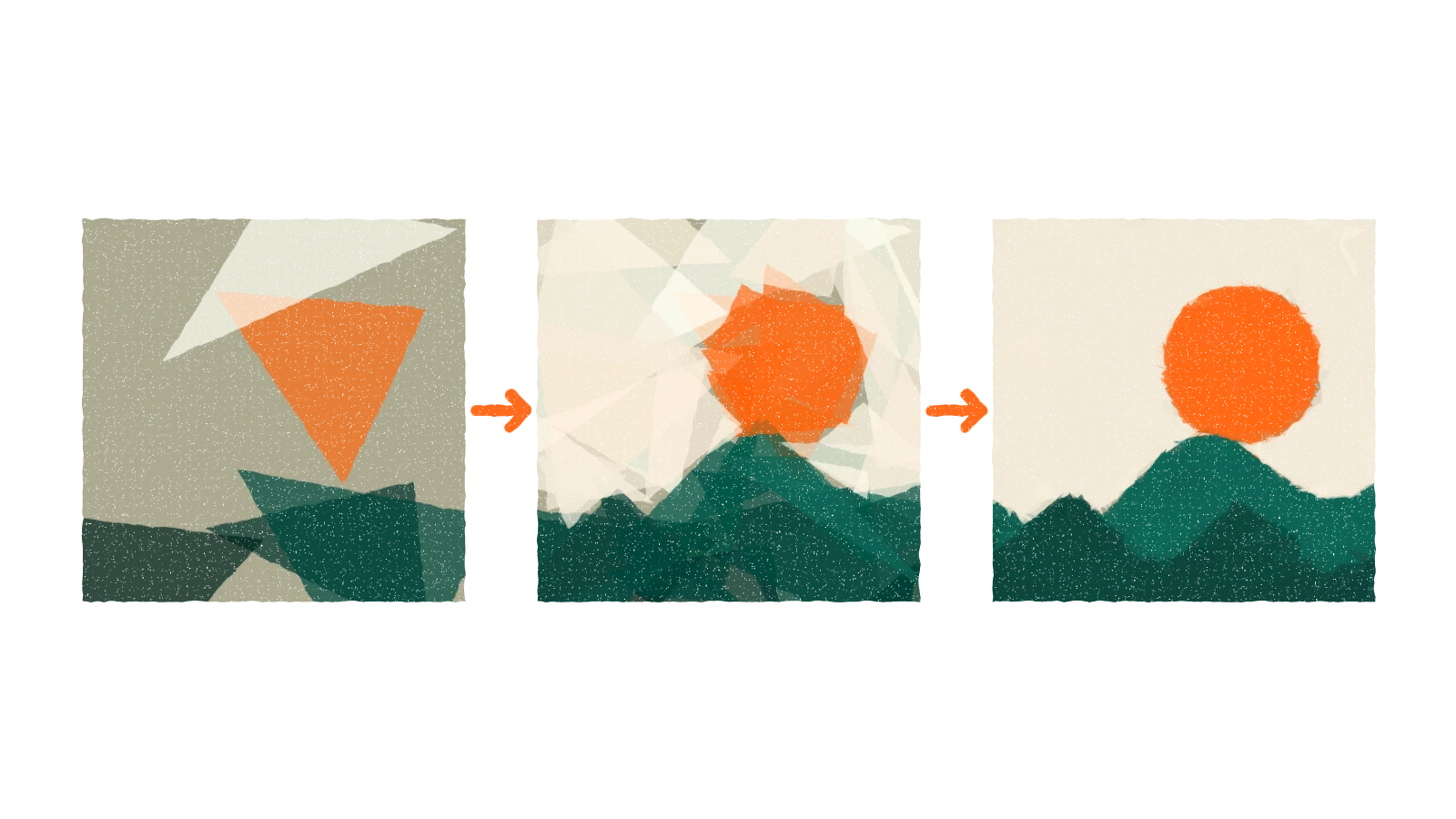
Primitive rebuilds a picture out of shapes. You give it a photo and a number, and it places that many triangles, ellipses or rotated rectangles one at a time, each one wherever it lowers the error against the photo the most.
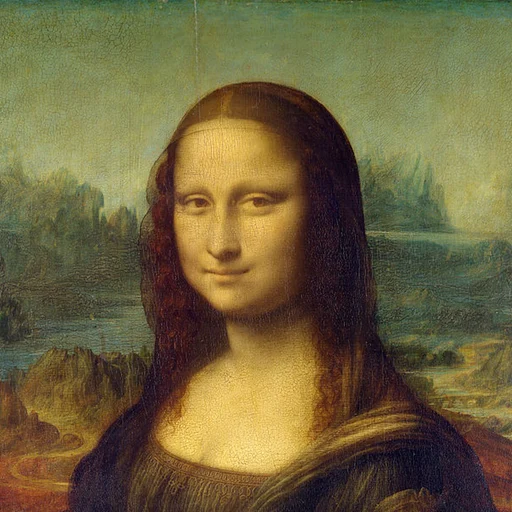
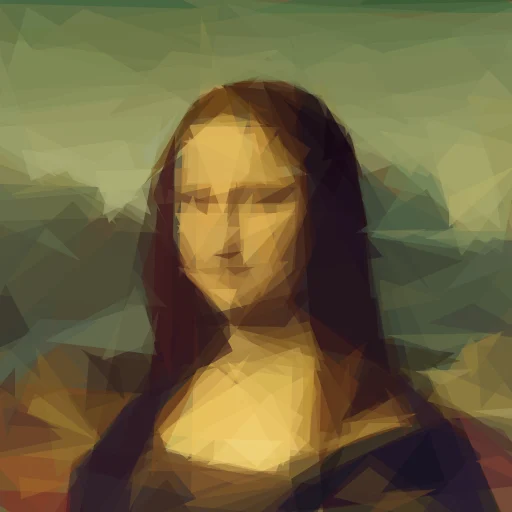
The idea and the core code are Michael Fogleman's. His primitive is MIT licensed, and it was inspired by Roger Johansson's evolution of the Mona Lisa. I forked it and kept working on it. What follows is what I added, not a new algorithm.
How it works
It starts with a canvas filled with the average colour of the photo. Then it draws a random shape on top and scores the result with root-mean-square error against the photo. It nudges the shape, scoring again, and keeps the change only if the score improved. That is hill climbing, and it is done from several starting shapes, because hill climbing gets stuck.
The best shape is added and stays. Then it starts again for the next one. Around 50 to 200 shapes is enough to look like the photo and still look abstract.
It runs in the browser
The Go engine is compiled to WebAssembly, so there is a page where you pick a photo, choose shapes, squares or circles, and watch the picture build. You can download it as SVG, animated SVG, PNG or an animated GIF. It runs offline in the browser, and hosting it needs only three files and no Go on the server.
It uses one thread, so it is slower than the command line.
Quadtree mode
-algo quads builds the picture from cells instead of shapes. It starts with one
cell filled with the average colour, then keeps splitting the cell with the
largest error into four. Flat areas stay as a few big cells and the splits go to
edges and gradients.
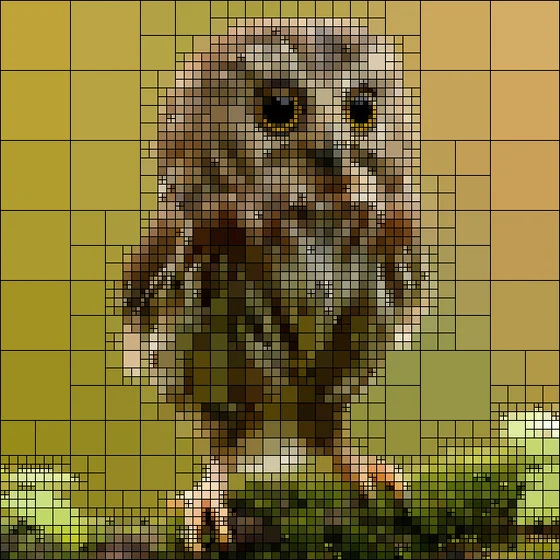
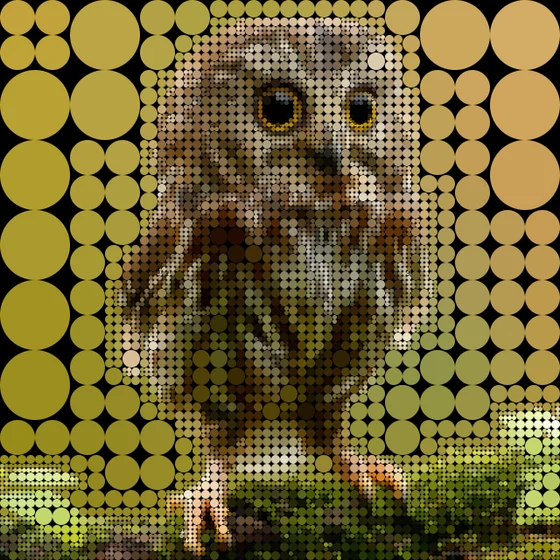
It is fast and has no randomness, so the same photo always gives the same result. It works best on photos with big flat areas, like a plain sky. A textured photo needs far more splits.
The idea comes from Fogleman's Quads. Mine is a separate implementation, written from the description of the algorithm and from looking at the pictures it makes.
The smaller things
A GIF encoder written inside the tool, so nothing else has to be installed. An
SVG that animates, with each shape fading in after the last. A palette flag to
restrict colours, a blur for SVG, and -quality draft or high as presets for
the shape count and working size.
I also split the engine into packages, moved the command line into cmd/, and
added golden tests, so a change that alters any existing output fails.
What did not work
I tried a -m 9 mode, triangles first and then rotated ellipses. It came out
worse than plain ellipses, so I took it out.
An -edge flag places new shapes near high-detail areas. I measured it:
about 1% lower error in detailed regions and none overall. It is still there, off
by default.
More shapes and a larger working size do help with detail. On the Mona Lisa,
-n 400 -r 512 cut the error in the face by about 27% against -n 150 -r 256,
and took about 27 seconds.
Where it is
Working, with the command line, the browser version and the tests. It is a fork with a lot added, so the credit stays with the original.